Aster Explained: What It Is and How to Get Started


What Is Aster?
Aster is a next-generation decentralized perpetuals and DEX platform that empowers users to trade any crypto asset directly from their wallets — no intermediaries, no compromises.
Built for both casual traders and DeFi professionals, Aster combines the speed and liquidity of centralized exchanges (CEX) with the transparency and security of decentralized finance (DeFi).
As part of the IoTeX ecosystem, Aster is setting new standards for cross-chain trading, deep liquidity, and non-custodial control — all within a sleek, professional-grade trading interface.
🔑 Key Features of Aster
- Cross-chain trading — Seamlessly trade across multiple blockchain networks.
- Deep liquidity pools — Experience minimal slippage and lightning-fast order execution.
- Non-custodial security — Your crypto stays in your wallet; you control your keys.
- Smart order routing — Automatically gets you the best available price from global liquidity sources.
- Advanced trading tools — From limit and perpetual orders to take-profit/stop-loss settings, Aster is designed for pros.
Aster bridges the gap between CEX-level performance and DeFi-level transparency, giving traders the best of both worlds.
How to Use Aster on ioPay
With ioPay Wallet, you can easily access and trade on Aster directly within your mobile wallet. Follow these simple steps to start trading in minutes.
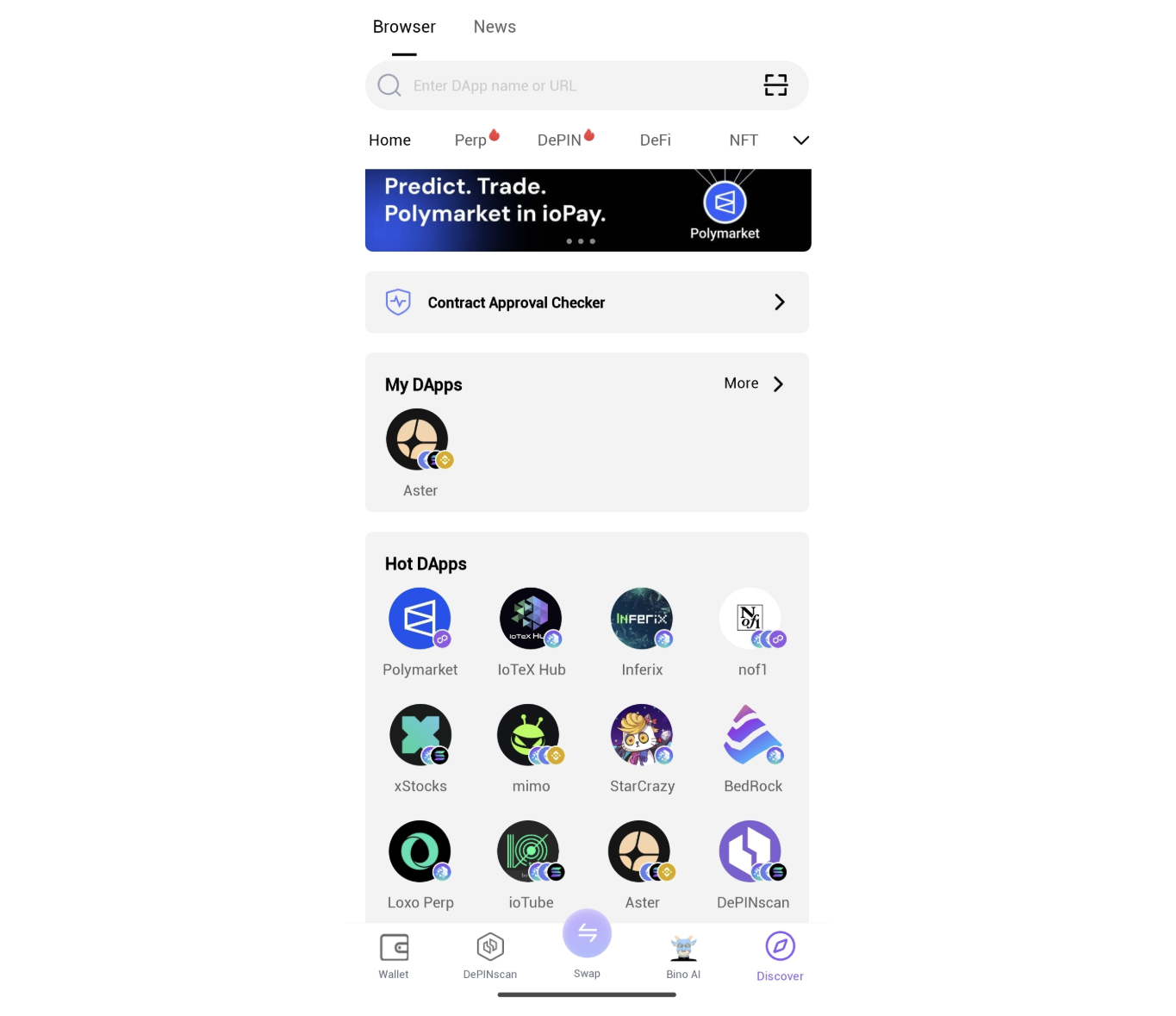
Step 1: Open the dApp Browser in ioPay
From ioPay’s home screen, tap the “Discover” icon at the bottom.
This built-in browser lets you explore decentralized applications, including Aster.
Step 2: Search and Access Aster
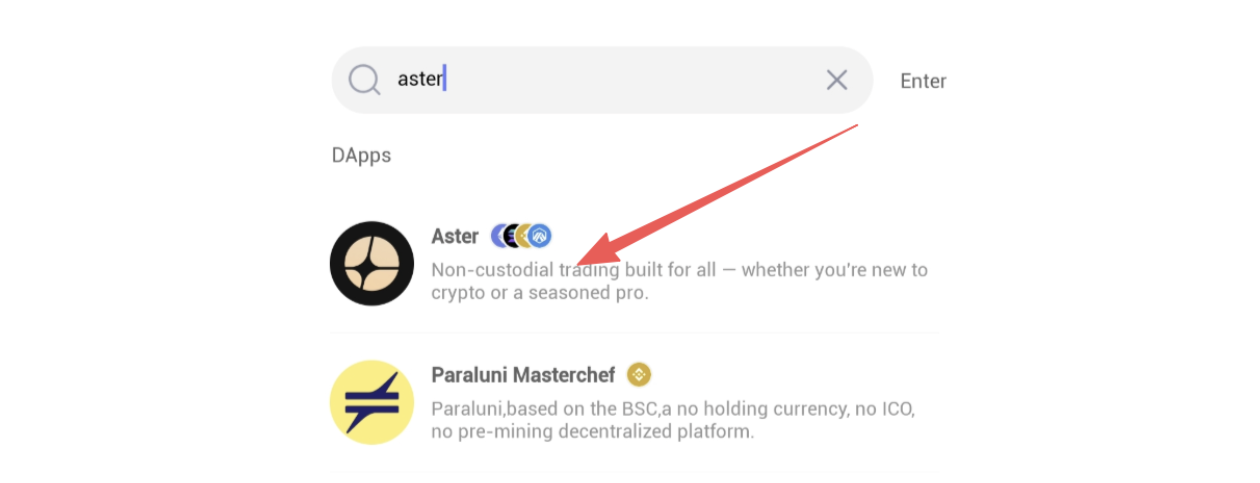
In the search bar, type “Aster” — you’ll see the Aster dApp icon.
Alternatively, visit the official website directly:
Step 3: Connect Your Wallet
Click “Connect” on Aster. Choose WalletConnect or MetaMask, then approve the connection through ioPay.
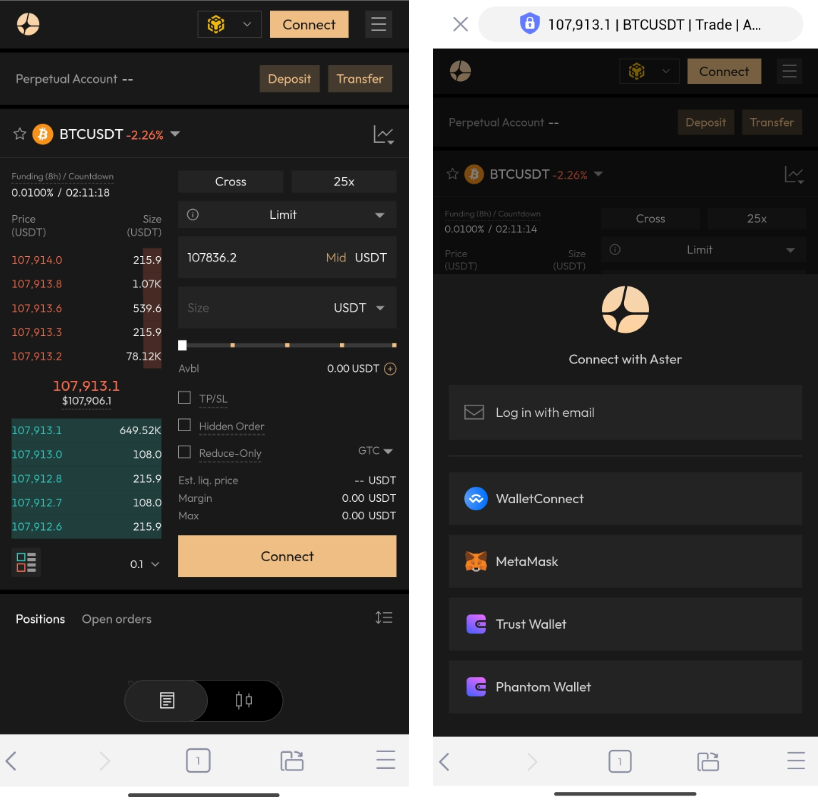
Once connected, your wallet remains securely linked — all trading happens in a non-custodial, gas-efficient environment.
Step 4: Explore Markets and Start Trading
If you want to trade on Aster, you need to deposit assets from your wallet into your account first.
Tap the "Deposit" icon in the upper right. In the pop-up window, you can select the tokens and chains you want to deposit.
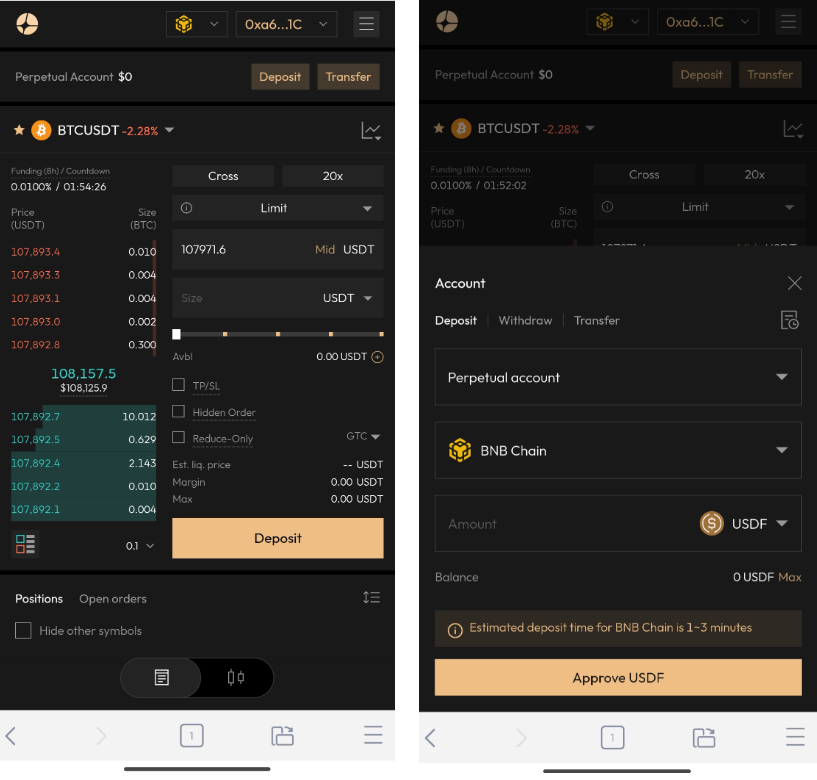
Before trading, you need sign a signature to establish a connection for a decentralized channel for gas-free, instant trading.
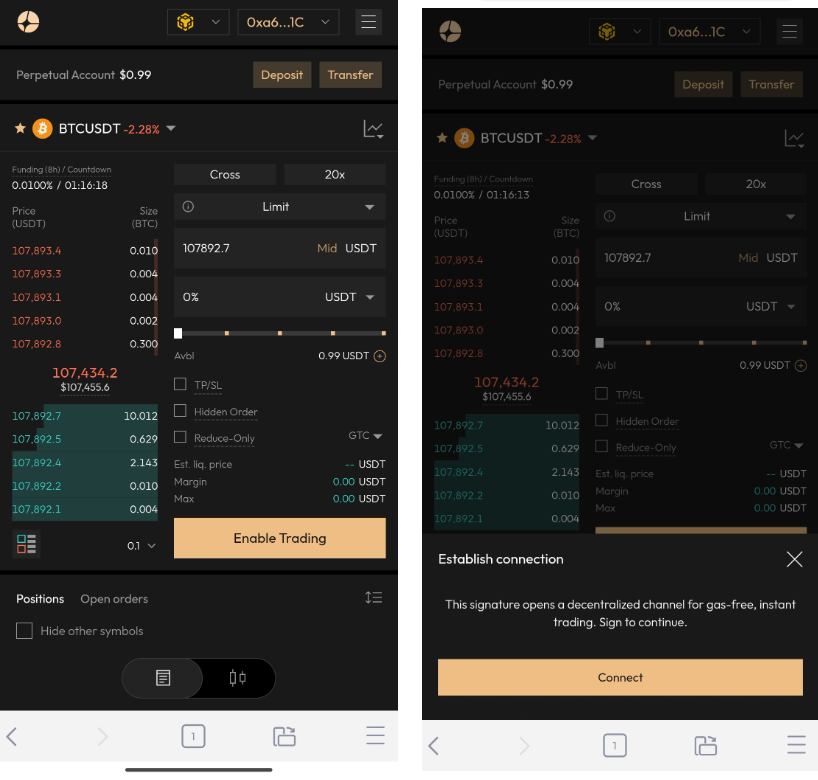
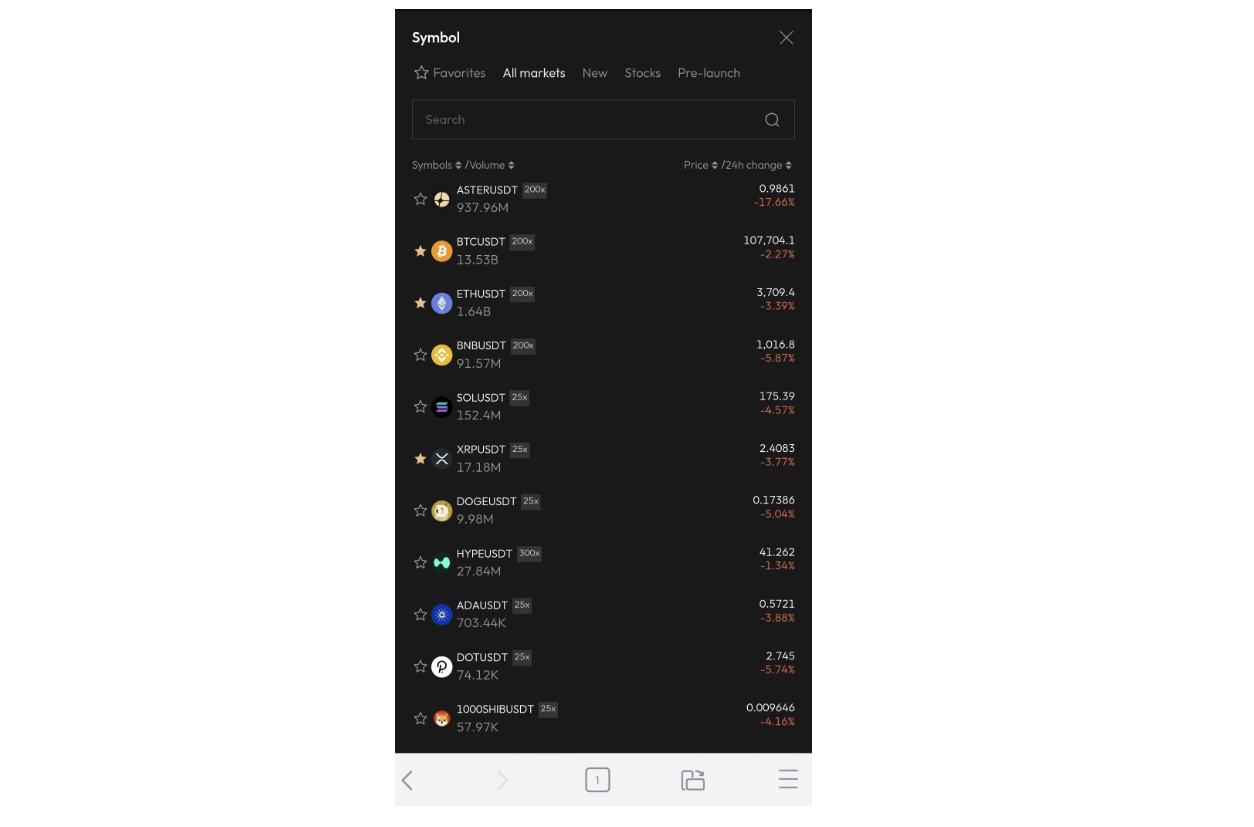
After completing the above steps, you can begin your Aster perp trading journey. Select the symbol you want to trade from the list.
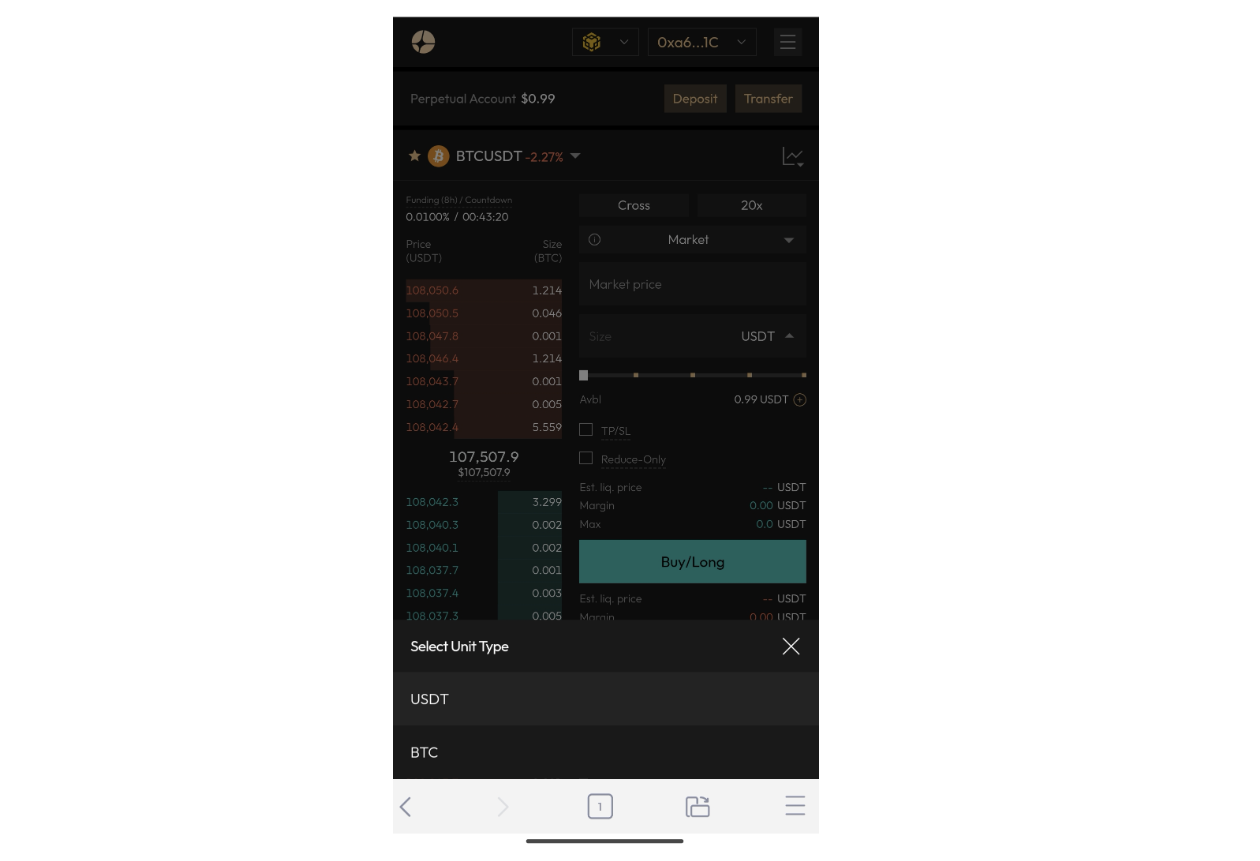
Aster supports $BTC and $USDT as trading units. Therefore, it is recommended to deposit these two tokens for convenient trading. Of course, you can also deposit other tokens and then obtain $BTC/$USDT through Aster's spot trading.
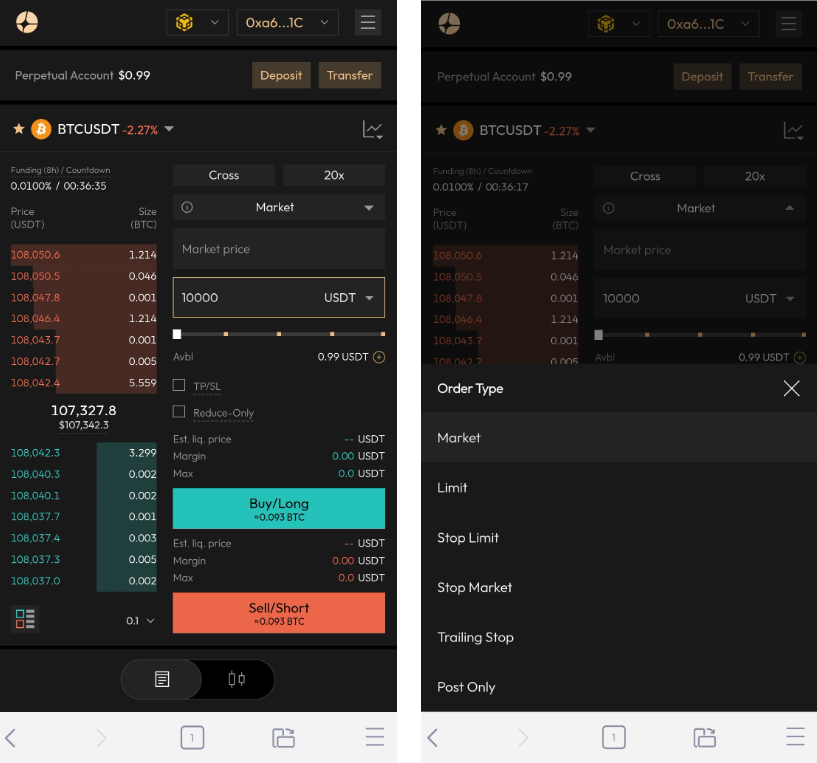
After entering the position size and adjusting the leverage, don't forget to select the margin mode, confirm whether you want a market order, a limit order, or a take-profit/stop-loss limit order.
Why Trade on Aster via ioPay?
The integration of Aster with ioPay marks a major step forward for DeFi on IoTeX. Together, they deliver a frictionless, secure, and user-friendly experience that rivals any CEX.
Here’s why it matters:
- Unified DeFi Access — ioPay connects you to DeFi, AI, and DePIN dApps in one place.
- Cross-chain freedom — Trade seamlessly without leaving the wallet.
- Institutional-grade tools — Access advanced analytics and perpetual markets.
- Full ownership — Your assets never leave your wallet unless you authorize them.
Whether you’re swapping tokens, trading perpetuals, or providing liquidity, Aster + ioPay offers a powerful decentralized trading stack that’s fast, transparent, and non-custodial.
Get Started Today
Download ioPay Wallet and start exploring the next wave of decentralized trading with Aster.
🌐 Official Website: https://iopay.me/
ioPay Highlights
- Multi-chain Web3 wallet (IoTeX, Polygon, Ethereum, BSC & more)
- Built-in dApp browser with instant Aster access
- Secure, fast, and easy-to-use for DeFi enthusiasts
Trade. Earn. Own. — with ioPay and Aster.